
Your writing.
Your workspace.
A writing environment that makes room for your process. Arrange your tools around the draft, return to saved workspaces, and keep your files where you choose. AI helps through edits you review.
Skraib V4 · New release
A little more room
for your way of working.
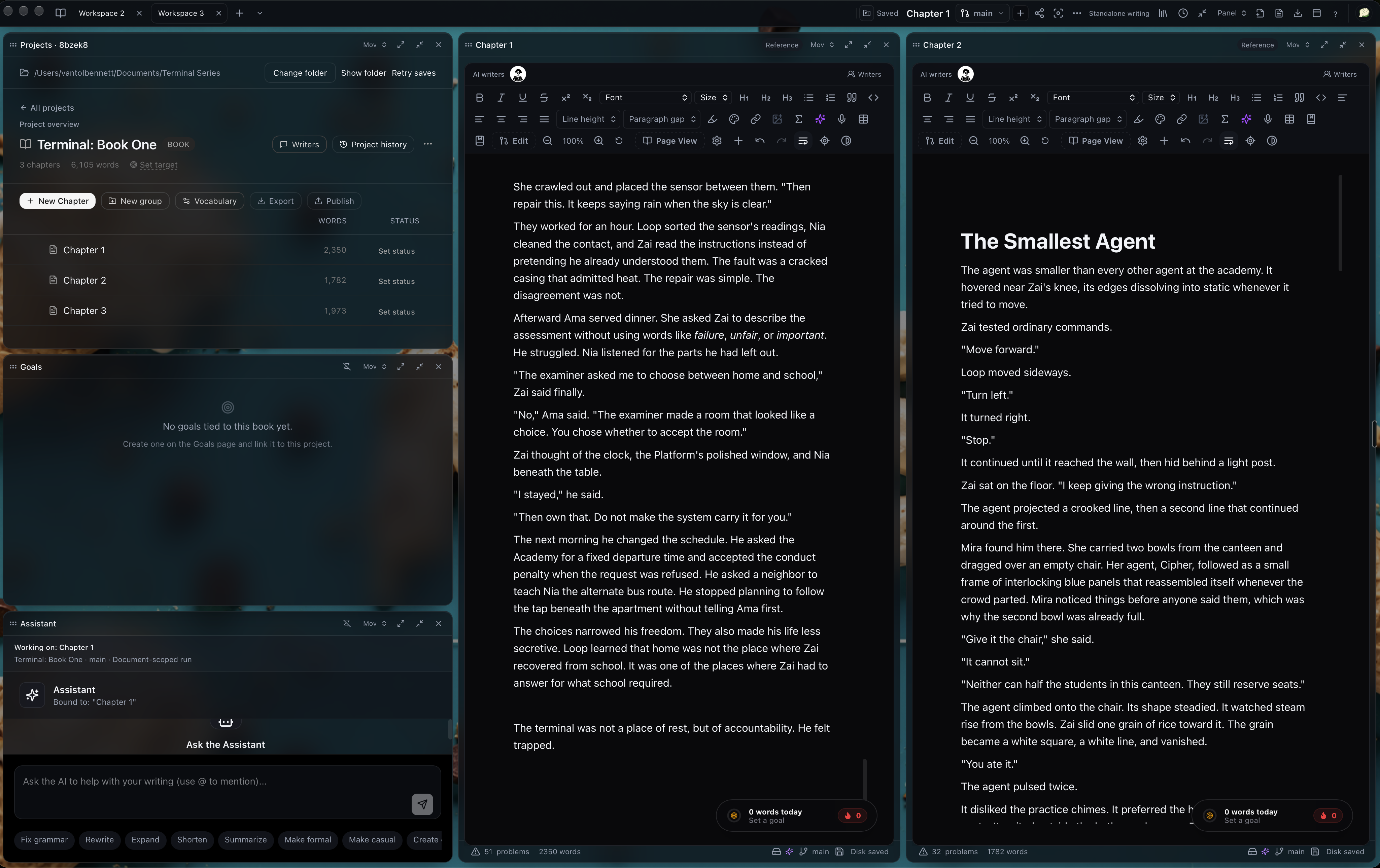
Your draft at the center. Your tools within reach. V4 brings flexible workspaces, files in your own folders, and AI changes you can review before they become part of the story.
Explore the V4 update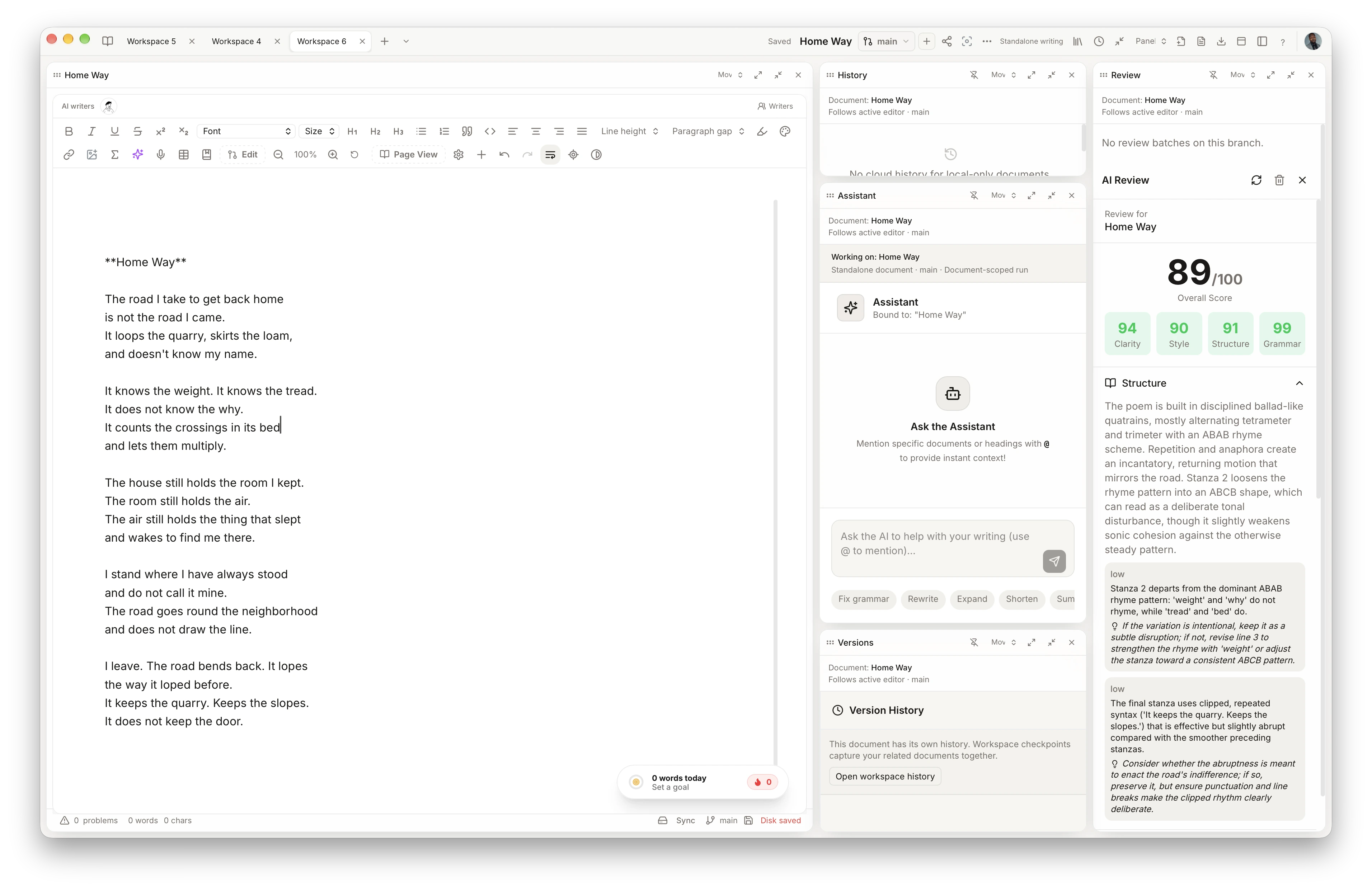
A workspace that fits
Split your canvas, move your tools, and return to saved layouts that keep your process close.
Files where you choose
Keep native writing files in your own folders, with local recovery and cloud sync when connected.
Room to try another way
Explore a branch and review AI suggestions before deciding what belongs in your draft.
Stay in your writing
Switch workspaces, find commands, and move between your documents with keyboard shortcuts.
For writers, researchers, and teams who want AI assistance they can review.
Skraib downloads across desktop
Live app download counts across macOS, Windows, and Linux.
Review before apply
AI suggestions stay visible until you accept or dismiss them.
Branch the risky ideas
Explore a direction without overwriting the draft you trust.
Secure by design
Your writing stays yours, with a secure API for controlled access.
Built for momentum
Goals, streaks, and a calm editor keep the practice moving.
01 / Your writing workspace
Make room for your way of working.
Keep your draft, outline, goals, and reference material together. Move your panels, split the canvas, and return to a workspace that remembers where you left off.
Explore the workspace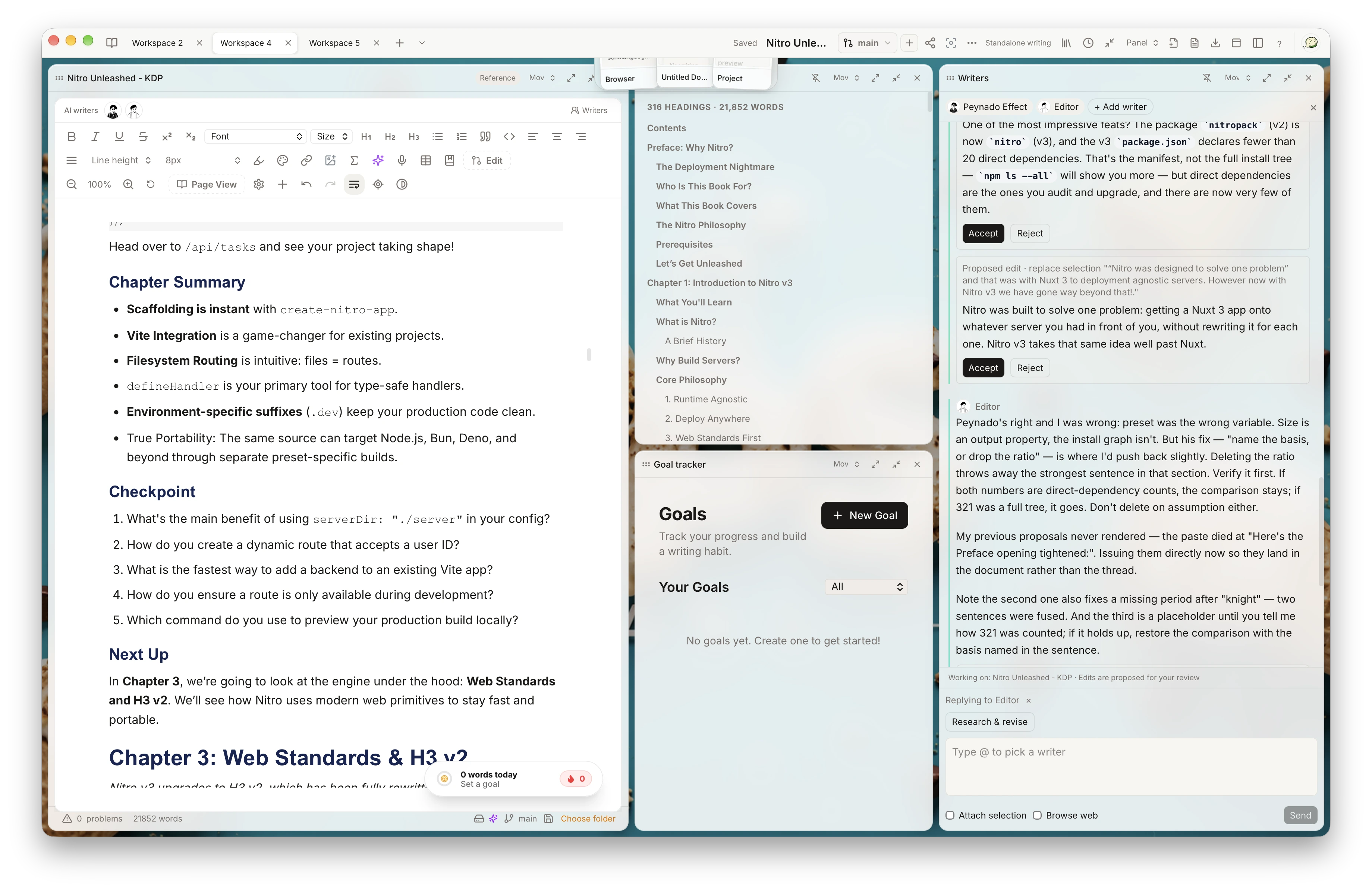
02 / Write alongside AI
A fresh perspective. Your final say.
Bring Writers and the Assistant into your process. Discuss a passage, explore another direction, and review proposed edits before they become part of your draft.
Explore Writers in the workspace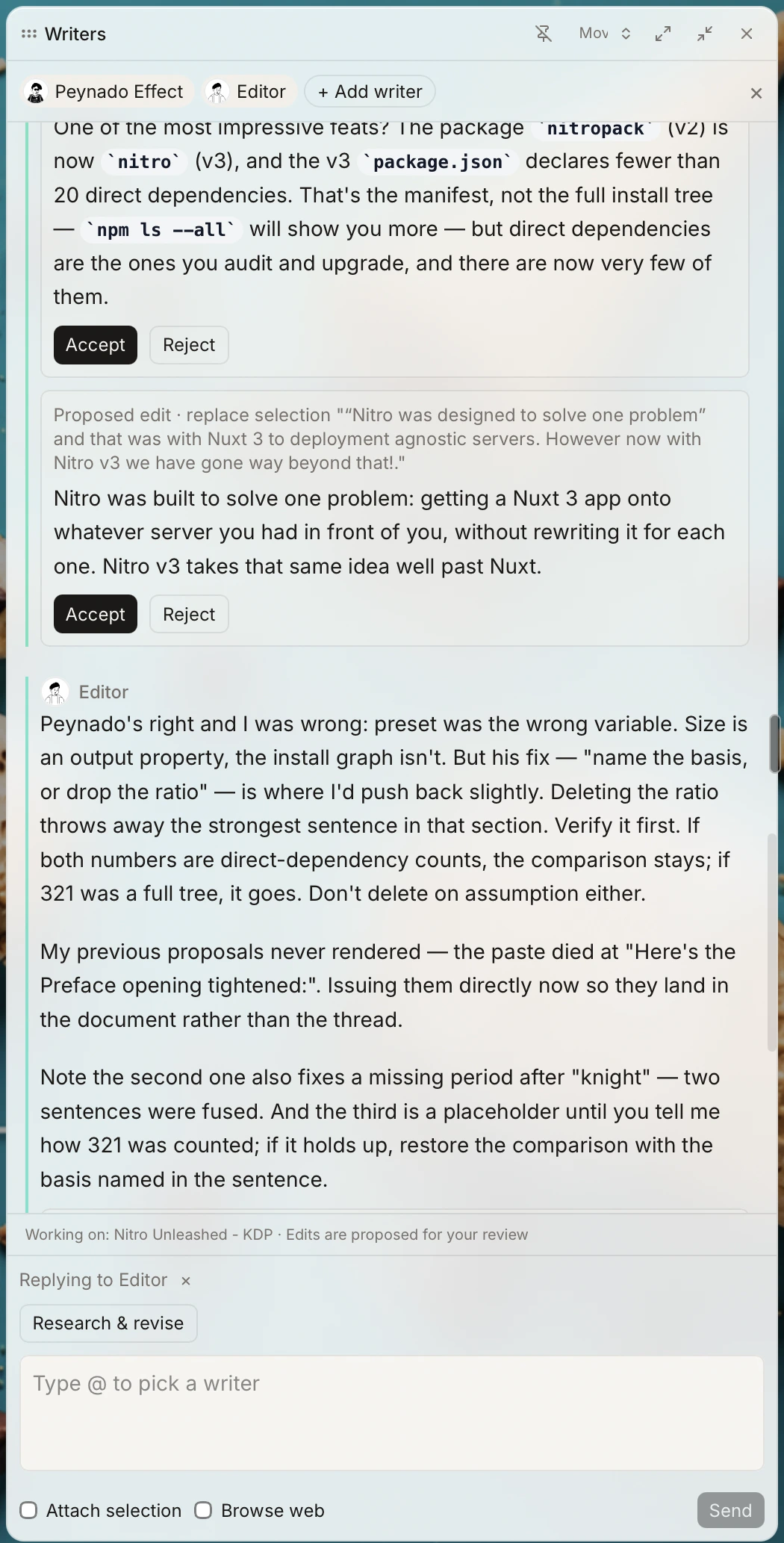
03 / Review and refine
See what could be stronger.
Look at clarity, structure, style, and grammar with a dedicated review beside your writing. Read the reasoning, consider the suggestions, and decide what to revise.
Take a closer look at review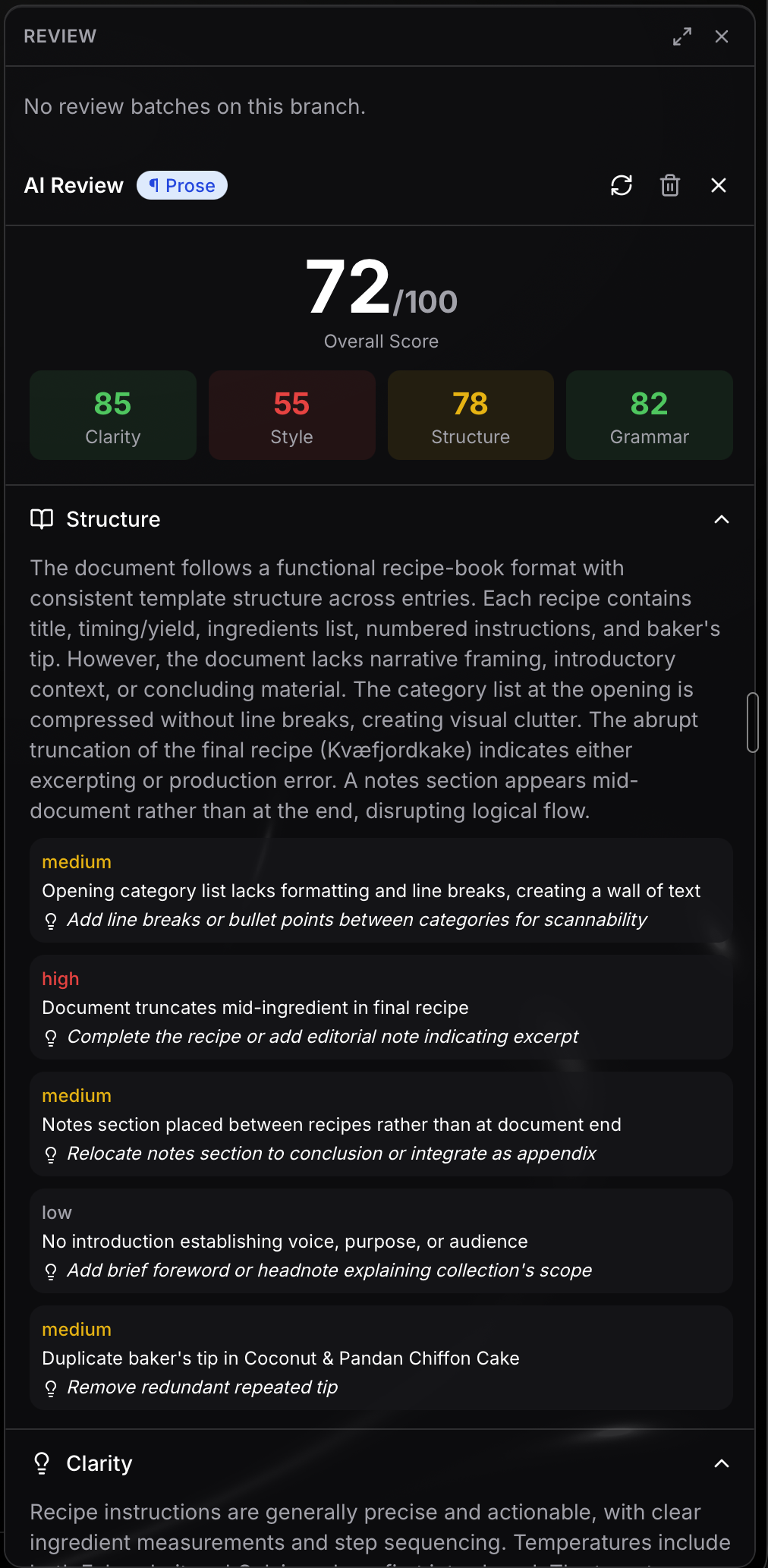
04 / Keep your work yours
Your words. Your files. Your choice.
Write locally in the desktop app and keep native Skraib files in folders you choose. Continue offline, then export to Word, PDF, or EPUB when your writing is ready to go further.
Get the desktop appFile organization illustration
Also included
More ways to make it yours.
Scribe
Contextual suggestions while you write.
Goals & streaks
Keep your writing practice in view.
Offline dictation
Turn your voice into text on your device.
Spaces
Bring agents together for a focused workflow.
Skraib MCP
Connect external AI tools to your writing. Pro.
Context
Keep relevant documents close to the conversation.
Bring your work with you
Start from the writing you already have.
Import local Markdown, TXT, and DOCX files; text-only PDFs from the desktop app; or Google Docs through OAuth. Notion import is planned and not yet enabled. Imported files become editable native Skraib documents; provider sync is not implied.
Notion import is planned · availability depends on the source format
Different writers. Different rhythms.
There’s room for your process.
A chapter, a poem, a careful second pass. Shape the workspace around the work in front of you.
For the long draft
Keep chapters, research, and character notes within reach while the story takes shape.
For the right words
Stay close to the page. Try another line, consider a suggestion, and keep the voice your own.
For the next revision
Read feedback beside the draft, compare another direction, and choose what moves the work forward.
For the ideas you follow
Bring your notes and source material into the same workspace as the writing they inform.
Assistance you can direct
Keep the decisions close to the draft.
Choose the context, try another direction, and stay in control of what changes.
Choose what AI sees
Bring the documents and folders that matter into a conversation. Give the task the context it needs.
Explore contextGive an idea its own branch
Explore an alternative without replacing your main draft. Compare the result before deciding what to keep.
Explore your workspaceBring your other tools
Connect an MCP client to your projects and lore. Proposed rewrites remain yours to review. Available on Pro.
Explore Skraib MCPWhat's new in Skraib
See the changelogFind your fit
Start free. Make room as you grow.
Compare plans, included features, and usage limits on our pricing page.
Before you begin
A few things worth knowing.
About your workspace, your files, and the assistance beside your writing.
More questions? Visit Help →Can I write without an account?
Yes. In the desktop app, choose to continue without signing in and write on your device. Local writing is kept separate from an account and is not automatically uploaded when you sign in.
Can I keep writing offline?
Yes. The desktop app saves writing locally so you can keep working offline. AI requests and connected collaboration need an internet connection.
Where are my writing files saved?
On desktop, choose a folder for each Project and a default folder for standalone documents. Skraib keeps native .skraib files there, alongside its local recovery storage. Connected accounts can also use cloud sync.
Does AI change my draft automatically?
Writers and review workflows present proposed changes for you to accept or reject. You can also use branches to explore alternatives. Scribe offers suggestions as you type, with behavior controlled through its settings.
Can I bring existing writing and export it later?
You can import formats including Markdown, TXT, and DOCX, then continue editing in Skraib. Desktop also supports PDF import; extraction quality depends on the source. Export options include Word, PDF, and EPUB.
What is included in the free plan?
The free plan includes the writing core and a limited allowance of AI assistance. Visit the pricing page for the current feature comparison, usage limits, and paid plans.
Can I send my manuscript to a reader?
Yes. Share a frozen project copy with beta readers or editors. They can read and comment on the website, and you can review their feedback in Skraib.